

Resources » Faxing PDFs »
Fax machines were the fastest way to transmit documents for a good part of the 20th century, but in the digital age, they’ve been replaced by far more convenient and efficient technology. Cloud storage and email have made it easier than ever to send and receive documents, so many people no longer keep fax machines in their homes and businesses, let alone a phone landline!
Of course, a few industries still use faxing for sending and receiving documents. These include:
- Education
- Healthcare
- Legal
- Real estate
- Government
These industries typically choose to use legacy fax systems because of security. It’s difficult to intercept a document while it’s being transmitted over a phone line. Faxes also can’t have suspicious clickable links, viruses, or malware attached, as is common with emails.
So what do you do when you need to send documents to your doctor, lawyer, or school? Do you need to buy a fax machine? Rent one?
New fax machines typically cost over $100 because they include multiple functions — phone, document scanner and copy abilities. Types of fax machines:
- Small personal faxes with a scanner and phone
- Medium-sized print/scan/fax machines
- Large, office-sized fax machines that also work as stand-alone scanners and printers
All of these fax machines require active phone lines to be connected to them so that they can transmit documents. All in all, having a dedicated fax machine is an expensive up-front cost followed by a monthly fee to keep the phone line operational. For businesses that don’t often use faxes, having a fax machine may not be worth it. So what are the alternatives?
Faxing Without a Fax Machine
You no longer need to own a fax machine to fax when you use online fax services that use Fax over Internet Protocol (FoIP) to transmit documents over the internet rather than the phone. We explain FoIP here: How faxing over the internet works.
Online faxing easily works alongside legacy machine-based fax systems so that the recipient won’t notice any difference between a document sent via fax machine versus one sent via internet fax. This makes FoIP the perfect solution for interacting with legacy systems, now that most people have swapped out phone lines for smartphones.
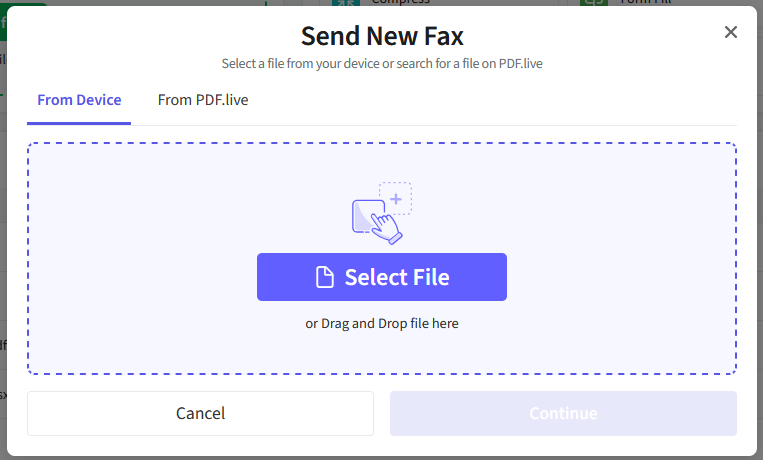
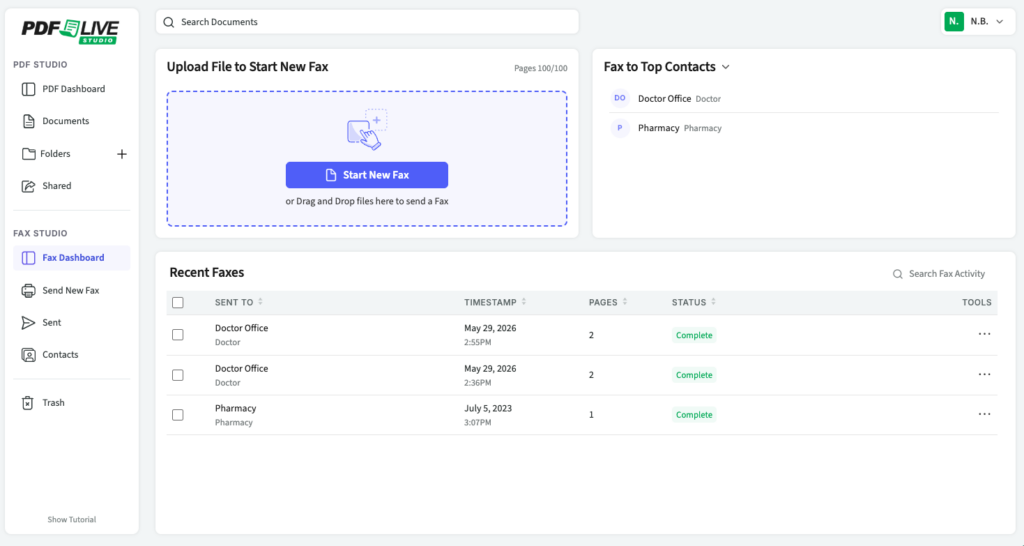
Unlike a physical fax machine, internet faxing works with digital versions of your document: Upload a PDF to the fax service and enter your recipient’s fax number. Then, simply transmit! The screenshot below is an example of how simple PDF.Live’s digital fax service is.
Fax Machine Versus Fax Service: Cost Comparison
Fax machine setup and operational cost
- Machine: Around $50 to $95 for a new fax machine to $200 to $400 for a multi-function fax-copy-printer (Source: CostHelper)
- Dedicated line: $20 – $40 a month for a physical phone line for your fax machine to plug into
- Pros of a fax machine: Access to a printer and scanner, unlimited faxing
- Cons of a fax machine: Setup cost, dedicated space for a physical printer near a phone line, purchasing paper and ink for printing
Digital fax service cost
- Service: $10 a month for 100 fax pages per month, in addition to unlimited use of PDF.Live’s full suite of PDF conversion and editing tools*
- Pros of online fax services: Less expensive, comes with a suite of PDF management tools, works with digital documents with no need to scan or print
- Cons of fax services: 100 pages a month limit for the base plan, but additional credits and enterprise pricing are available
Alternative Faxing Methods
If you need a fax machine but don’t want to buy one, there are a few options outside of digital fax services that you can try. Keep in mind, though, that some of these locations require you to hand over the documents to be faxed.
- Office supply stores: Stores like Staples and Office Depot offer printing, scanning, and faxing services. You usually pay by page to print or fax something (usually less than $1 per page). This is a low-cost solution for sending one-time faxes, but they may not offer the ability to receive faxes.
- Business services store: Some UPS and FedEx stores offer printing and faxing services. Similar to office supply stores, they charge fees, typically per-page.
- Libraries: Libraries sometimes have fax machines and printers in their business centers. These are sometimes free, but it will depend on the library.
- Friend or family business: Businesses you have close relationships with may be willing to allow you to use their fax machine at no cost. However, it may be difficult to repeatedly use their machine because you may not want to overuse the kindness of friends!
If you want to try a convenient digital faxing service today, PDF.Live offers free 7-day trials of PDF.Live Studio, which includes a PDF faxing tool. Besides the suite of PDF editing and management tools available, you’ll have access to our digital faxing service, which takes PDFs and transmits them using FoIP. You can also receive faxes through the PDF.Live studio, add contacts for repeated faxing, and view a history of all documents sent and received.
*Based on current pricing of $9.99/month for PDF.Live’s unlimited plan. Pricing is subject to change — check our terms and conditions for the latest details.