

Resources » Faxing PDFs »
Download your free fax cover sheet here to add to the PDF you want to fax.
You can also use PDF.Live’s online faxing service to insert a free fax cover sheet with your fax. You fill it out with the information, and PDF.Live attaches it to your fax. No printouts or page merging required. If you’d prefer downloading and making your own, read on to learn how to download and use the free fax cover sheet template.
What a Fax Cover Sheet Is and Why It Matters
Fax cover sheets are pages added to the front of a fax that list your and your recipient’s name, fax numbers, and additional information you want to provide. A fax cover sheet isn’t required for faxing, but it can be useful, so recipients know what the fax contains. Fax cover sheets also help protect the contents of your faxed document by providing a cover to potentially shield sensitive information.*
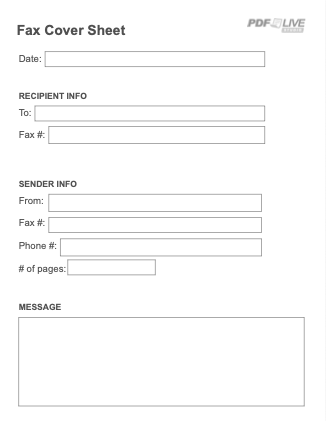
Our free fax cover sheet has the following fields:
- Date
- To (the recipient)
- Recipient’s fax number
- From (your name)
- Sender’s fax number
- Number of pages
- Message field for additional notes
How to Use a Fax Cover Sheet
To use our printable fax cover sheet
- Download the fax cover sheet
- Fill it out using a PDF editor like PDF.Live or a PDF reader.
- Add the cover sheet to the front of your PDF. Utilize PDF.Live’s merge tool for this.
- Send your fax with the added cover sheet!
To use a fillable fax cover sheet
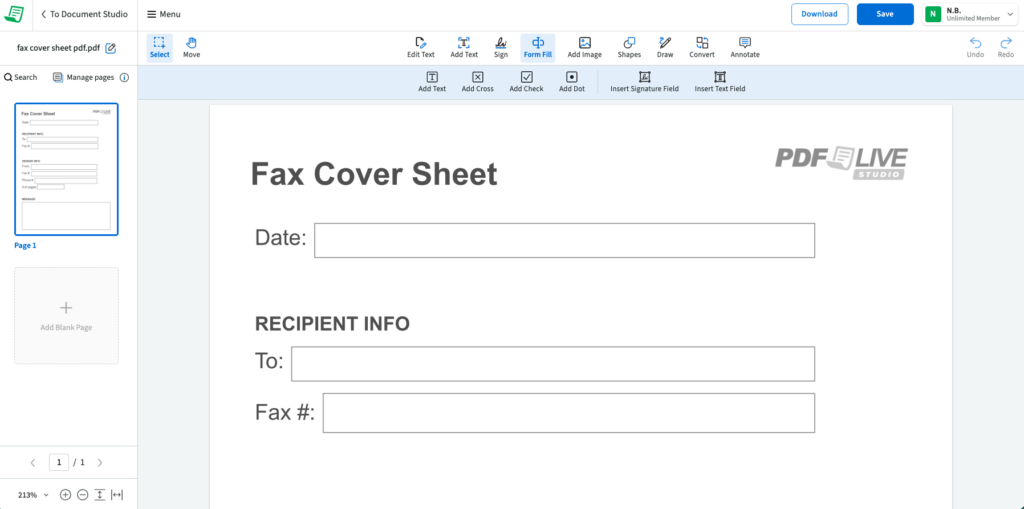
- Upload the fax cover sheet to PDF.Live’s online editor.
- From the menu, select Form Fill.
- Then select Add Text and click the field where you want to type.
- Download and save to your PDF.Live Studio dashboard.
To use the built-in free fax cover sheet
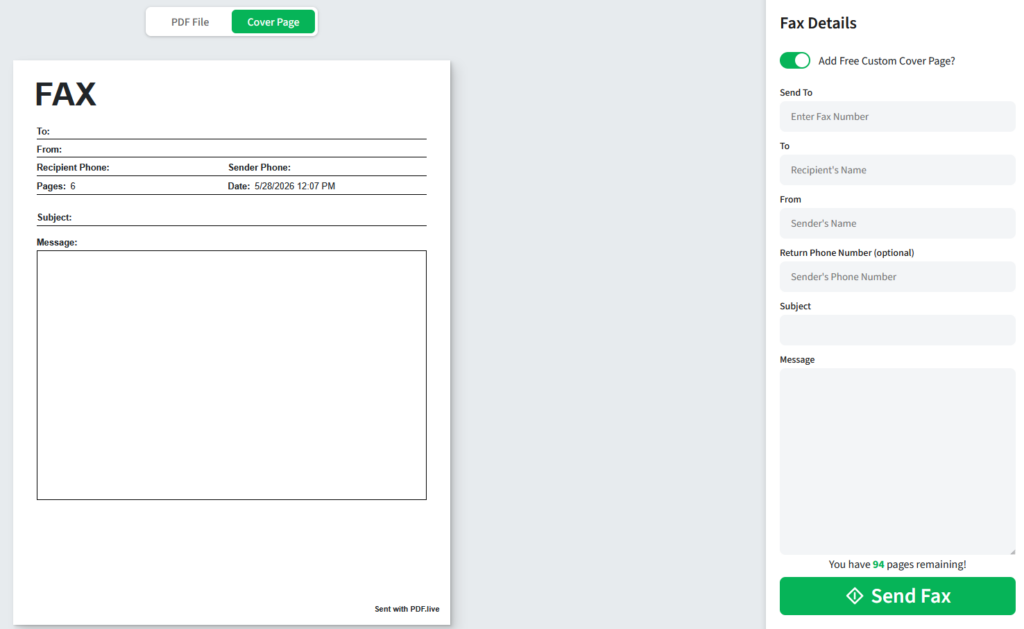
Alternatively, when you fax with PDF.Live, you can check the option to add a free custom cover page to your fax. This makes getting a fax cover sheet even easier, as we’ll insert the page in front of your fax for you. Just enter the information you want the cover page to contain, and we’ll handle the formatting!
Download the Cover Sheet
Download this PDF of your fax cover sheet.
Fill out the appropriate fields in this fax with the information you want. Then, merge it with the PDF you want to fax and make sure to place the cover sheet in front of your faxed document.
How to Send Your Fax With a Cover Page
Once you’ve added the cover sheet to your document, faxing is made easier with PDF.Live’s fax feature.
PDF.Live allows you to fax online without a scanner, fax machine, or telephone line. All you have to do is upload your document with the cover page added, and we’ll handle sending it to your recipient. On their end, the document will look the same!
Try PDF.Live’s fax tool today for easier faxing.
*The fax transmission process is generally safe and secure. However, once received, it’s up to the recipient to ensure the fax reaches the intended party. If you are sending sensitive information, such as financial records or health information, consider using a more secure transmission method, such as an encrypted email service or a HIPAA-compliant file sharing platform.