

PDF.Live is not a law firm, and this post isn’t legal advice. Rules on what employers can request or consider during hiring vary by country, so follow the job posting’s instructions and local guidance for your situation.
How to Add a Photo to Your Resume + When to Skip It
Adding a photo to a resume is sometimes highly recommended and other times heavily discouraged. If you’ve applied to some jobs in the past and not received follow-up emails, you may be wondering if you should add or remove your photo from your resume.
The job application process has changed a lot over the past 20 years or more. Job postings now have a global reach due to the proliferation of online job sites, and companies make frequent use of applicant tracking systems (ATS) that automatically scan and parse resumes to find the most qualified applicants. This is important to understand, because some formatting changes and content can make it so that the ATS can’t parse your resume. Your resume is then automatically rejected!
That said, there are still some times when you need to add your photo to a resume. Specifically, a few industries where the hiring manager needs to have a sense of what you look like. Let’s see when you should and shouldn’t add a photo to a resume.
Pros: When to Add Your Photo
As a general rule, if the position that you’re applying for requires you to be in front of a camera, you should add a photo to your resume. For example, include a photo in your resume if you’re a:
- TV broadcaster
- Actor
- Model
- Entertainer
This is because your appearance is part of your personal brand. How you present yourself has to align with positions in these industries. This extends to the formatting and style of the resume itself, as hiring managers in these fields will be trying to understand who you are just as much as how your experience relates to the position you’re applying for. Your appearance and bearing must align with the role or brand of the company you’re applying for.
Adding a photo may also be a cultural norm outside of the U.S., regardless of industry, so defer to hiring best practices for the company’s country if you’re not sure. In Japan and South Korea, for example, it’s considered a requirement to have your photo in your resume.
Cons: When Not to Add Your Photo
Most of the time, adding a photo to your resume is not a good idea. If you’re based in the U.S., Canada, or the United Kingdom, it’s not best practice to put a photo in your resume. There are a few reasons why:
- Photos are difficult for an ATS to parse
- Personal photos introduce unconscious bias for hiring managers
- A personal photo is irrelevant, when a hiring manager can simply look up your LinkedIn or other social media profile
Most modern hiring practices emphasize experience and education rather than professional bearing or appearance. Some positions that you apply for may have an ATS review your resume before a real person has a chance to view it, making personal photos irrelevant and even damaging. As an aside, this is why job applications usually require resumes to be in PDF or DOC format.
An ATS struggles to understand special formatting settings and mixed media that you place on your resume. If an ATS can’t find experience in your resume, it will simply list experiences as empty, leading to your resume being automatically thrown out of the applicant pool. A photo increases the risk of confusing the ATS, so remove it unless specifically requested.
Tips for Adding Photos
If you need to add a photo to your resume, these are the best ways to ensure you’re still presenting yourself professionally:
- Place the photo at the top corner of your resume. You don’t want a photo to take up too much valuable space. It should be neatly positioned in the corner of your resume near your name.
- Use professional headshots. Ideally, use a business casual photo taken by a professional photographer with a clean, solid background. In creative fields, it may be okay to choose a photo that aligns closer to your professional brand.
- Use a high-resolution image. Don’t include a photo that’s pixelated or low-resolution, as it can make your resume look unprofessional.
How to Add Your Photo to Your Resume
1. Upload your PDF to the PDF.Live editor.

You will need to create an account to use the PDF.Live editor. We offer a free trial for our editor so you can try out our suite of PDF editing tools.
PDFs are the most common format for resumes. They’re easy for an ATS to parse and preserve formatting settings no matter what program the recipient is using to open and view the document.
2. In the PDF.Live editor, click Add Image.
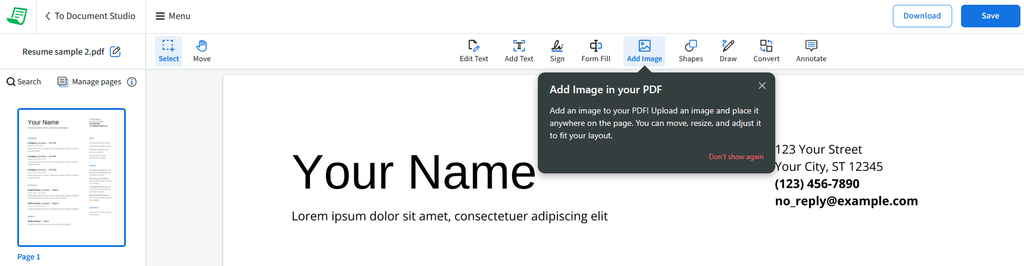
On the PDF.Live editor toolbar, click the Add Image icon to add your photo to the resume. Your cursor will turn into a + sign, indicating you can click anywhere on your resume to add an image.
3. Navigate to where your photo is saved on your computer and click Open.
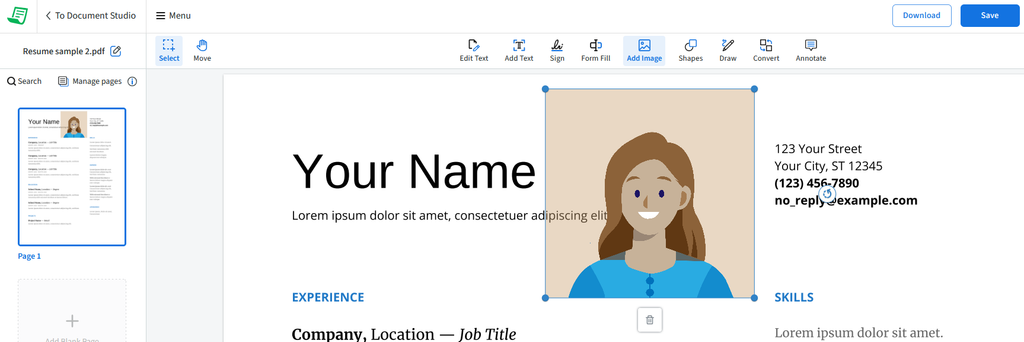
This will add your photo, and any other media that you want, to your PDF.
4. Resize and reposition your photo in your resume. Click and drag the blue dots to change the size and click and drag the image itself to change where it’s located.
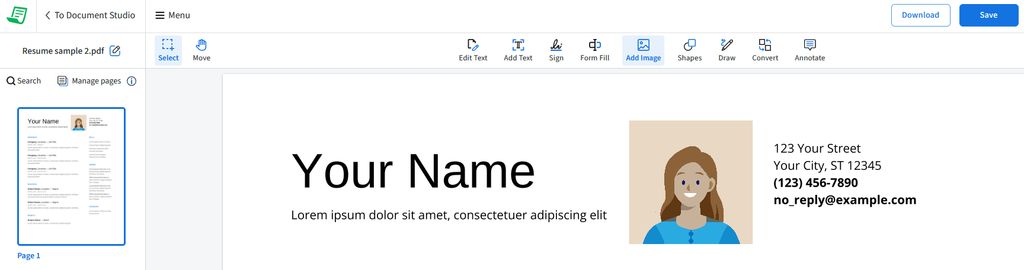
In the above image, we’ve repositioned the example photo to be better aligned with the rest of the resume.
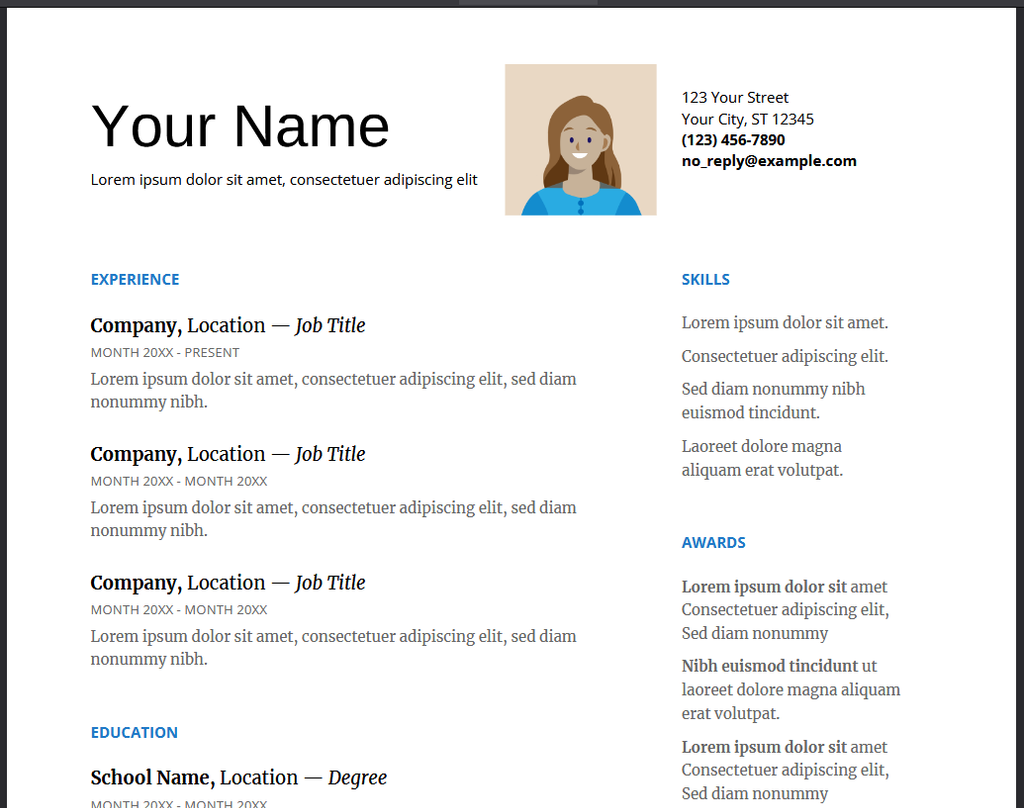
5. Download or Save your updated resume with the photo added by clicking the respective buttons on the top right of the PDF.Live editor.
FAQs About Resume Photos
Will adding a photo to my resume help my application stand out?
Adding a photo to your resume may help your application stand out if you’re applying for a position in an industry where appearance is important. Most of the time, a photo is not a good idea to add to a resume. It will confuse the applicant tracking system and can look unprofessional.
Are resume photos ATS-friendly?
It depends on where you’re applying. In countries where photos on CVs are standard, such as Germany, applicant tracking systems are built to handle them. In places where photos aren’t expected, like the US and UK, a photo usually doesn’t help you get past an ATS. Some systems ignore images entirely, and a photo placed in a header or text box can make it harder for the software to read the information around it. Either way, the ATS is looking for your experience, education, and skills, so make sure those are in plain text and easy to find, whether or not you include a photo.
What is ATS technology?
ATS technology stands for applicant tracking systems, which are software that companies use to filter and sort resumes to find the most qualified applicants for a position. Creating an ATS-friendly resume is necessary to be a competitive applicant for a position. Hiring managers and recruiters often use ATS technology to filter and sort through hundreds of applicants, only reading the resumes of applicants that an ATS scores well.
What are alternatives to adding a picture to a resume?
Instead of adding a personal photo to a resume, include a LinkedIn URL or personal website link so recruiters and hiring managers can see your professional brand without it getting in the way of your experience. Once an ATS has scored your resume well, the person reviewing it can explore more about your brand and background.