

Resources » Working With PDFs »
What Makes a Good PDF Reader for Mac?
The PDF format keeps its formatting no matter where it’s opened, which makes it ideal for things like contracts, e-books, invitations, and forms. If you use a Mac, you already have a couple of solid ways to open them — and plenty of options if you want editing tools, too.
A PDF reader will allow you to open and view a PDF file on your computer. If you want to learn more about what PDF readers are, check out our article on What is a PDF reader?
Below is a breakdown of the best free and paid choices, plus how to switch your default reader.
Free PDF Readers for macOS and iOS
Preview (built-in)
Macs come with Preview installed. It will likely already be your default option the first time you double-click to open a PDF. Preview allows you to open, view, and make minor edits. You can use it to:
- Open and read PDFs
- Add notes or comments
- Merge multiple PDFs
- Add your signature
- Rotate or delete pages
If you only need basic edits and PDF management functionality, Preview may already have what you need. It’s a powerful, free tool and easy to use.
Safari
The web browser Safari can display PDFs right in your browser.
How to open one:
- Open a new Safari tab.
- Click a PDF link or drag a PDF into a blank Safari window.
- Safari will show the file so you can read it immediately.
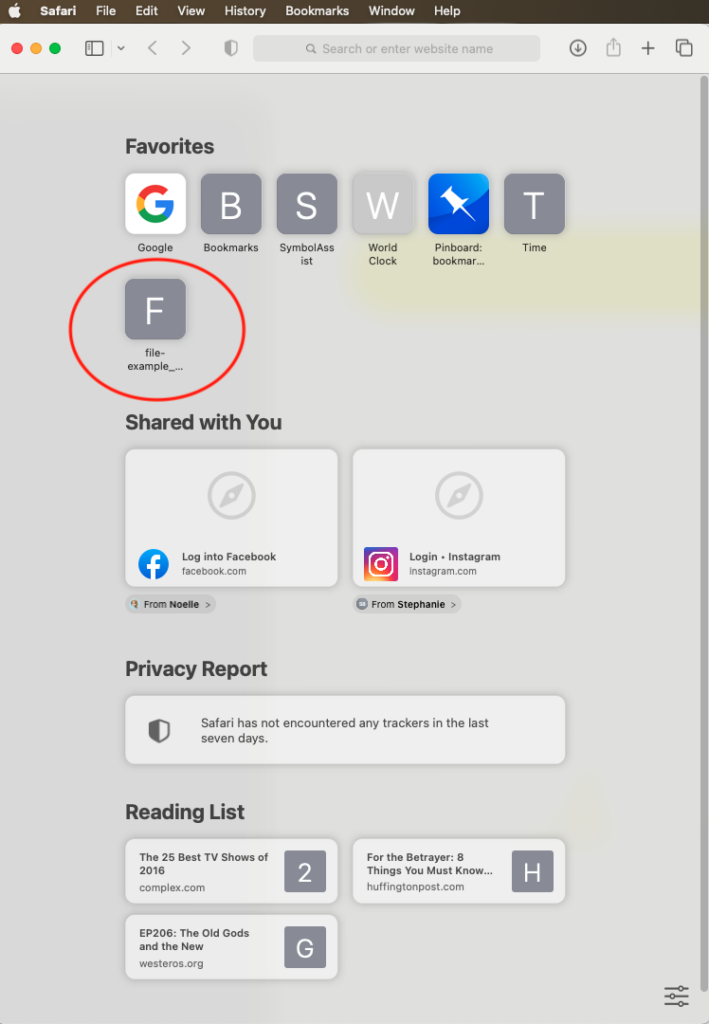
Safari is viewing-only. No markup, no merging, no edits.
PDF.Live (web-based editor)
If you need to make quick changes and don’t want to download software, PDF.Live works on any connected device — Mac, Windows, or mobile.
With PDF.Live, you can:
- Edit text
- Add or remove pages
- Rearrange content
- Add signatures
- Make one-off fixes or handle routine edits
PDF.Live offers a limited free tier for occasional tasks, and an inexpensive monthly plan if you edit often. Consider checking out our online PDF editor tool for PDF management features. PDF.Live works entirely on the web and requires no separate downloads to use. Simply upload a PDF and see the options available for you to use.
To start: Click PDFLive Unlimited at the top of the site and choose a plan.
Paid PDF Readers for Mac
Adobe Acrobat
Adobe, the company originally responsible for the PDF, has an advanced PDF reader called Acrobat. This software requires a download and comes in two versions Standard, which is $12.99/month and Pro, which is priced at $19.99/month (prices subject to change).
With Acrobat, you can:
- Make detailed edits
- Build fillable forms
- Edit PDF metadata
- And more advanced PDF work.
The main drawback is the cost, as Acrobat was the most expensive option on our list. It may be overkill, especially if you only need simple changes.
PDF.Live covers many everyday editing and management needs at a lower price.
How to Change Your Default PDF Reader on Mac
If you install another PDF app and want it to open your files automatically:
- Right-click any PDF.
- Choose Get Info.
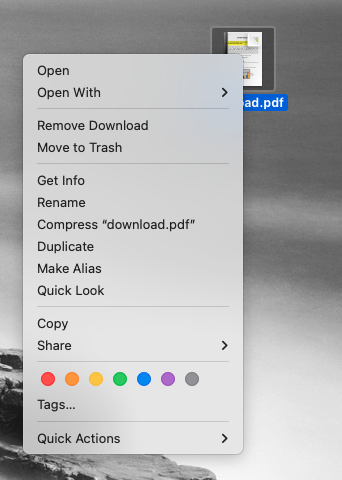
- Find Open With.
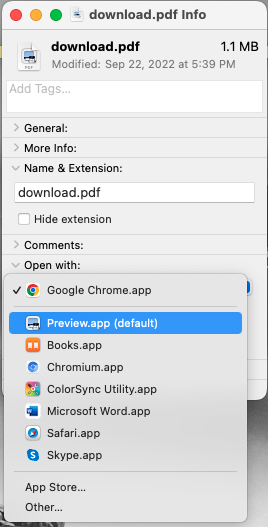
- Pick the app you want.
- Click Change All…
- Confirm when your Mac asks if you’re sure.
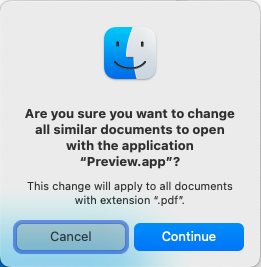
You can repeat these steps anytime if you want to switch back to Preview or try another reader.